
Appointment and Meeting Scheduling
Appointment Scheduling Service for Small Business: Online Booking Your Clients Will Actually Use
Simplify Your Scheduling and Stop Chasing Calendars
Every phone call that ends with "let me check my calendar and get back to you" is a lead at risk. Our appointment scheduling service for small business replaces that back-and-forth with a booking page where prospects and customers pick an open slot, get an instant confirmation and receive reminders before they arrive. You keep control of your hours; your clients get the convenience of booking at 11 p.m. on a Sunday if that is when they think of you.
It suits anyone whose revenue depends on time on the calendar: coaches and consultants running discovery calls, salons and wellness studios, contractors who quote on site, tutors, clinics and agencies. We do more than hand you software. We set up the services you offer, the rules that protect your day and the messages clients receive, then connect it all to the calendar you already live in.
Effortless Appointment Management
Booking, rescheduling and cancelling all happen in one place, so you are not reconciling text messages, voicemails and sticky notes at the end of the week. Clients choose from the times you have actually made available, and changes they make update your calendar immediately. You and your staff see the same up-to-date schedule.
Picture a personal trainer with three session types: a free 20-minute consult, a 60-minute session and a package check-in. Each gets its own duration, description and booking link, which can sit on the website, in an Instagram bio or at the bottom of every email. A booking link can also be shared straight from your Google Business Profile so searchers go from finding you to booking you in a few taps.
Automated Reminders and Notifications
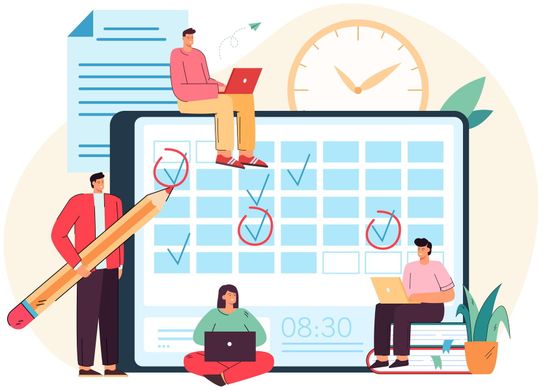
Most missed appointments are simple forgetfulness. Automated appointment reminders go out on a schedule you choose, by email or text, with the time, location or meeting link and an easy way to reschedule instead of silently not showing up.
- Instant confirmation the moment someone books
- A reminder a day or two ahead, and another shortly before the appointment
- Notifications to you or your team when a booking is made, moved or cancelled
A client who can reschedule in one click is far more likely to move the appointment than to drop it, which keeps that slot open for someone else.

Integrated Calendar Syncing
Your booking page reads from and writes to the calendar you already use, including Google Calendar and Outlook. When your dentist appointment or kid's recital goes on your personal calendar, that time disappears from the booking page automatically, so nobody can book you into a conflict.
For a team, each person's calendar can be connected so that bookings land with whoever is free, or with a specific staff member the client picks. New appointments can also flow into your contact records, which is where our email follow-ups and sales pipeline pick up the conversation after the meeting.
Customizable Scheduling Options
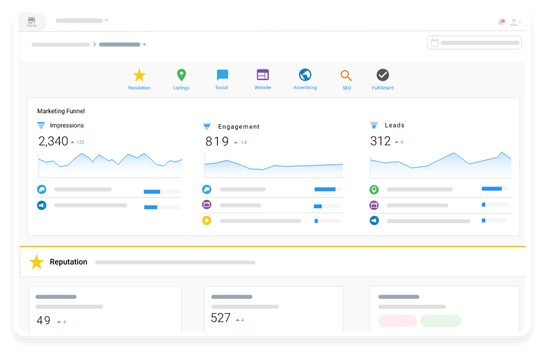
The rules are what make online booking feel professional instead of chaotic. We set your availability by day, add buffer time between sessions, cap how many bookings you take per day, decide how far in advance people can book and how much notice you need. Intake questions can collect the details you need before the call, so the first five minutes are not spent on basics.
A home-services company, for example, might allow estimate visits only on weekday mornings with a 30-minute travel buffer, while a consultant may open Friday afternoons solely for existing clients. Whatever your workflow, the booking process is shaped around it, not the other way around.

How it works
How Our Appointment Scheduling Engagement Works
Four steps take you from a messy calendar to a booking page that runs itself.
Map how you book today
We list your appointment types, lengths, staff, locations and the questions you ask before every meeting, plus the times you never want booked.
Build your booking page and rules
We configure services, availability, buffers, notice periods and intake forms, and write the confirmation and reminder messages in your tone.
Connect calendars and channels
We sync Google Calendar or Outlook, then place your booking link on your website, email signature, social profiles and Google listing.
Test, launch and adjust
We run test bookings end to end before going live, then fine-tune reminder timing and rules once real clients start using it.
FAQ
Appointment and Meeting Scheduling: Frequently Asked Questions
Can't find your answer? Call 718-866-4624 or book a free consultation and we will walk you through it.
How do automated appointment reminders reduce no-shows?
They remove the most common reason people miss appointments: forgetting. A confirmation at booking, a reminder in advance and a short-notice nudge keep the time in front of the client, and the reschedule link gives them an easy alternative to simply not turning up. The exact improvement varies by business, so we look at your current pattern and adjust timing after launch.
Will online booking sync with my Google Calendar or Outlook?
Yes. We connect the calendars you already use, including Google Calendar and Outlook, so busy time blocks out booking slots and new appointments appear on your calendar automatically. Team members can each connect their own.
Can I control when clients are allowed to book?
Completely. You set working hours per day, buffers between appointments, a daily limit, minimum notice and how far ahead people can book. You can also create private booking links for existing clients that show times the public page does not.
Which plan includes the meeting scheduler?
The Meeting Scheduler is part of our GROW plan ($1,350/month), and the ACCELERATE plan ($2,500/month) includes scheduling with Calendar Hero. If you only need scheduling set up alongside other work, we can talk through the right fit. You can see a live example by trying our own consultation booking page.
How long does setup take?
It depends on how many appointment types, staff calendars and locations are involved. A solo consultant is much simpler than a multi-staff studio. We confirm the timeline during your free consultation once we have seen your workflow.
Explore Our Services
Every service below plugs into the same client dashboard and weekly reporting, so you can start with one and add others as you grow.
-

-

-

-

-

-

-

-
-

-

-

Contact Us
Tired of playing phone tag to fill your calendar? Tell us how you book appointments today and we will show you what a self-scheduling setup would look like for your business.
Free consultation
Ready to see what your marketing could return?
Book a free consultation. We review your website, listings and ads, then show you where the quickest wins are. No obligation, and no long sales pitch.